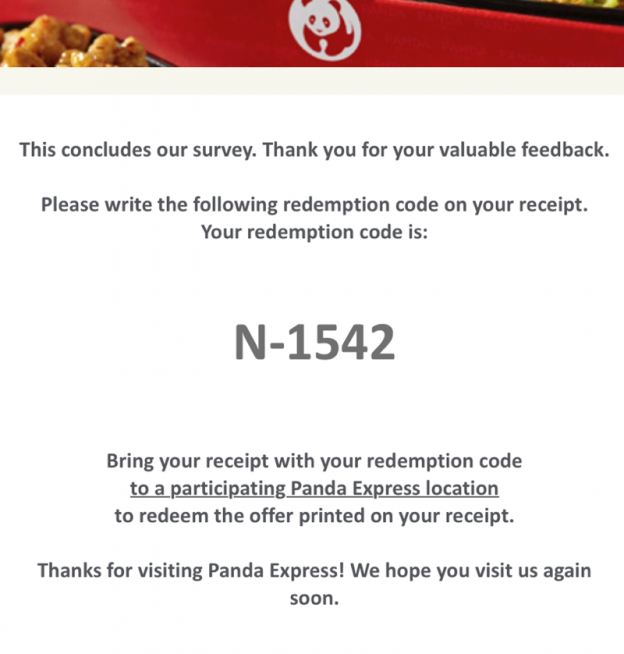
To start the Panda Express feedback survey, use the entry address printed on your receipt or the brand’s Panda Express feedback page. When checked on October 3, 2026, that address opened a Panda Express survey portal asking for the 25-digit survey code near the bottom of the receipt. The offer, eligibility rules, and expiration date are not established by this guide; read the terms on your own receipt and on the official survey before participating.
How to start
Find the survey instructions on a recent Panda Express receipt.
Open the survey address printed there. The brand’s feedback address currently redirects to its survey portal.
Enter the receipt’s 25-digit survey code in the fields shown on the portal. Do not post the code in a public comment or send it to an unrelated site.
Answer based on your actual visit. If the form presents an offer, read its exact restrictions and expiration before relying on it.
The current portal also displays an option for visitors who do not have a survey code. Follow the instructions shown there; this does not mean every visit or order is eligible for a survey or reward.
Does the survey guarantee a free entrée or coupon?
This page cannot confirm a current reward. The survey landing page checked on October 3, 2026 asks for a receipt code but does not state a universal free-item offer in the visible entry instructions. Older articles and third-party pages may describe expired or location-specific promotions. Treat the offer printed on your receipt and the live official survey terms as authoritative.
If the survey does not open
Check that you used the address printed by Panda Express, then try the accessibility option on the survey page if needed. If the receipt has no survey code or the portal rejects it, use the current official route to review the instructions. Keep the receipt private; it can contain a unique code.
What is PandaExpress.Com Feedback? Panda Express is defined as the type of restaurant chain that is casual and is growing at a fast rate. The restaurant is at a forefront in providing the American Chinese cuisine. It is the highly recognized Asian branch of restaurant chain that is situated in the United States of America.
To share feedback with Panda Express, start at the official Panda Express feedback page. The route currently redirects to Panda Guest Experience and asks for the 25-digit survey code printed on an eligible receipt. Use the instructions shown on your own receipt and on the official survey page.
How to reach the official feedback survey
Open the official feedback link above. Check that the address remains on a Panda Express or Panda Guest Experience domain.
Keep your receipt available and enter the survey code only on the official survey page.
Answer the questions about your visit and submit the form. Provide personal or purchase details only when the official form requests them.
Does every survey guarantee a coupon?
No universal coupon or free item is promised here. The official entry page checked on October 3, 2026 showed a receipt-code survey but did not establish a reward available to every visitor. Offers, eligibility, entry limits, and expiration dates can depend on the specific receipt invitation and current terms. Follow the terms printed on your receipt and shown by Panda Express; this independent guide cannot guarantee a reward.
If your receipt code is not accepted
Check the digits carefully and confirm that your receipt is within any time limit printed on it. If the official form still rejects the code, use the contact details on the receipt or navigate from Panda Express’s official website for current help. Do not enter a receipt code on an unrelated survey site.
Source checked October 3, 2026:Panda Express official feedback page. This independent site is not affiliated with Panda Express and cannot submit feedback on a visitor’s behalf.
Chick-Fil-A Feedback: What Customers Are Saying & How It Impacts the Brand
Chick-fil-A, a beloved fast-food chain known for its innovative menu items and dedicated customer service, maintains a significant presence in the lives of millions. As with any large, successful brand, customer feedback is a crucial barometer of performance, satisfaction, and operational success. The chick fil a feedback received online, via phone, or through other channels provides invaluable insights not only into individual customer experiences but also into the broader health and trajectory of the brand itself. Understanding the spectrum of customer sentiments, from praise to constructive criticism, is essential for both the company and consumers seeking a comprehensive view of the Chick-fil-A experience.
The Positive Side: Appreciation and Admiration
Despite occasional gripes, Chick-fil-A continues to earn glowing reviews and express deep appreciation from its customer base. The brand has cultivated a loyal following built on several key pillars:
One of the most frequently cited reasons for positive feedback is the consistent quality of its food. Items like the Original Waffle Potato, Corn Dogs, and of course, the innovative sandwich offerings, are often praised for their taste and reliability. Customers appreciate that their experience, whether they’re a long-time fan or a newer patron, tends to deliver familiar and enjoyable flavors.
Customer service is another area where Chick-fil-A shines for many. The emphasis on employees being “Christ-centered, caring, and competent” translates into a frequently friendly and helpful experience at the register and drive-thru. Many reviews specifically commend the staff for going the extra mile, remembering regular customers’ orders, and providing a welcoming atmosphere. This focus on service is a cornerstone of the Chick-fil-A brand identity and a direct source of positive chick fil a feedback.
The introduction of new menu items consistently generates excitement and positive buzz. Whether it’s the return of fan-favorites like the Cinnamon Dollicits or the debut of entirely new concepts, customers actively seek out these innovations. Feedback often highlights enjoyment of these new offerings, contributing to a sense of community and shared discovery among fans.
The Challenges and Criticisms: Areas for Improvement
However, a balanced view of chick fil a feedback must also acknowledge the areas where customers encounter issues or express disappointment. These criticisms often fall into predictable categories, reflecting common challenges faced by fast-food giants and specific operational hurdles for Chick-fil-A.
Perhaps the most common criticism revolves around service speed and consistency. While Chick-fil-A is renowned for its drive-thru efficiency, reviews frequently mention long wait times, particularly during peak hours or at specific locations. Furthermore, there’s a recurring theme of service inconsistency – a quick and smooth experience one visit can sometimes be replaced by a frustratingly slow or error-prone encounter the next. This inconsistency can be a major source of frustration for customers relying on Chick-fil-A for a quick meal.
**Order accuracy** is another frequent point of contention. Mistakes, such as incorrect orders, missing items, or substitutions made without customer consent, are reported across various reviews. As one reviewer noted, “With the amount I eat, there is bound to be a mistake in the order from time to time,” but even frequent customers expect these errors to be rare and handled professionally when they occur. Ensuring accuracy is a fundamental expectation in the fast-food industry, and failure in this area directly impacts customer satisfaction and trust. **Unlock the Truth: What Real Customers Are Saying About Panda Express Feedback**
Some feedback touches upon the **restaurant environment and atmosphere**, although this is often less common than service or food critiques. Comments occasionally mention noise levels, seating availability, or cleanliness, though these factors can vary greatly by location and time of day. More significantly, a closer look at aggregated reviews sometimes reveals discussions about perceived **price increases** or changes in value perception, although detailed financial information is typically not the focus of individual chick fil a feedback.
How Chick-fil-A Engages with Customer Feedback
Recognizing the importance of customer input, Chick-fil-A has established formal and informal channels for receiving and addressing chick fil a feedback. While customer reviews provide public sentiment data, the company utilizes these comments internally to drive improvement.
One primary avenue is through their official **Customer Service page**. Customers are encouraged to visit this page to submit detailed comments or concerns online. This structured feedback mechanism allows Chick-fil-A to gather specific information necessary for investigating issues or understanding trends affecting their operations. They also provide contact details for addressing various needs, from order corrections to general inquiries about the brand.
Furthermore, Chick-fil-A actively monitors **online reviews** across platforms like Yelp, Google Reviews, and social media channels. While the company may not publicly respond to every single comment, the collective feedback informs strategic decisions regarding store operations, employee training, and even menu development. Addressing widespread complaints about service speed, for instance, requires targeted interventions at a corporate or regional level.
The Ripple Effect: Impact of Feedback on the Brand
The feedback loop between Chick-fil-A customers and the brand is not merely a one-way street of complaints; it has tangible impacts on the company’s reputation, customer loyalty, and ultimately, its bottom line.
Reputation Management:** Online reviews and public chick fil a feedback significantly shape public perception. Positive reviews reinforce Chick-fil-A’s image as a quality, service-oriented fast-food option. Conversely, negative reviews, if numerous or highlighting systemic issues, can deter potential new customers. A quick search for “chick fil a feedback” often yields a mix of these experiences, giving prospective diners a realistic, albeit sometimes critical, preview of what to expect.
Loyalty and Retention:** Customer feedback, both positive and negative, plays a crucial role in building loyalty. Patrons who feel heard and see that their feedback leads to positive changes are more likely to remain loyal. Even minor issues addressed constructively can strengthen the relationship. The emphasis on service and quality in positive feedback helps cultivate a dedicated fan base. Negative feedback, when acknowledged and rectified, can sometimes even strengthen loyalty by demonstrating the company’s commitment to improvement.
Operational Improvements:** Critiques regarding service speed, order accuracy, and other operational aspects directly feed into internal processes. Chick-fil-A uses this information to identify training needs for employees, optimize store layouts, refine ordering systems, and implement quality control measures. Addressing recurring issues through feedback is fundamental to maintaining and potentially enhancing the customer experience.
Menu Innovation and Adaptation:** While feedback often focuses on existing items, comments about potential new offerings or requests for certain menu items can sometimes reach the corporate level. Although not every suggestion is acted upon, the volume and nature of requests, often surfacing through informal feedback channels, can influence future menu development strategies.
Conclusion: The Continuous Conversation
In conclusion, the landscape of chick fil a feedback presents a nuanced picture of a dynamic fast-food brand. Chick-fil-A continues to earn significant praise for its food quality, customer service focus, and innovative spirit, reinforcing its position as a leader in the competitive fast-food market. However, the brand is not immune to challenges, with service speed, order accuracy, and operational consistency frequently cited in negative reviews.
The process of receiving, analyzing, and acting upon customer feedback is an ongoing internal conversation for Chick-fil-A. By engaging with both positive sentiments and constructive criticisms through various channels – from public reviews to structured surveys and direct customer service interactions – the company can adapt, improve, and maintain the high standards that have endeared it to millions. For customers, understanding the breadth and nature of chick fil a feedback offers valuable context, providing a more complete picture of the experiences others have shared and informing their own expectations when visiting a Chick-fil-A location.
CBA Elevator Consultants Reviews & Feedback: What Users Are Saying
In the complex world of property management and facility maintenance, the systems that keep buildings functional and safe are paramount. Among these, elevators and escalators play a critical role in daily operations, accessibility, and tenant satisfaction. However, managing these vital systems can be fraught with challenges, from escalating maintenance costs and unexpected repairs to complex contractual agreements and ensuring regulatory compliance. This is where professional cba elevator consultants step in, offering specialized expertise to optimize performance, manage budgets, and mitigate risks.
The market is flooded with service providers, making it crucial for building owners, managers, and facility executives to find a reliable partner. Reading reviews and gathering feedback from peers who have engaged the services of CBA Elevator Consultants can provide invaluable insights. This article delves into the experiences shared by users, exploring the strengths, benefits, and overall value proposition associated with CBA Elevator Consultants based on their reviews and feedback.
The Importance of Professional Elevator Consulting
Before examining specific feedback, it’s essential to understand why engaging a specialized cba elevator consultant is often a wise investment. Elevator systems are intricate, high-stakes assets. Malfunctions can lead to operational downtime,安全隐患, and significant financial losses. Furthermore, managing elevator maintenance contracts, understanding service level agreements (SLAs), and ensuring compliance with safety regulations (like the Americans with Disabilities Act – ADA) requires specialized knowledge.
A professional cba elevator consultant brings objectivity and expertise to the table. They act as advocates for the building owner or manager, analyzing existing systems, evaluating performance, reviewing maintenance records, and negotiating contracts. Their role extends beyond simple troubleshooting; they focus on lifecycle management, cost optimization, and proactive maintenance strategies to prevent failures and extend the lifespan of the equipment.
For instance, consultants can meticulously review invoices to ensure charges are justified and align with the agreed-upon scope of work. They can verify that maintenance schedules are being followed diligently and that necessary repairs are being addressed promptly. This oversight is crucial for protecting the asset value of the property and ensuring the safety of its occupants.
What Users Are Saying: Reviews and Feedback on CBA Elevator Consultants
Feedback from users who have worked with CBA Elevator Consultants highlights several key aspects of their services. While testimonials can sometimes be anecdotal, collectively they paint a picture of a company focused on client value and system optimization.
Focus on Value and Cost Management: A recurring theme in reviews is the emphasis on protecting clients from unnecessary costs. Users frequently mention that CBA consultants are adept at scrutinizing maintenance contracts and service invoices. They act as a safeguard against overbilling, ensuring that charges are reasonable and that work performed aligns with contractual obligations. This focus on cost-effectiveness is a primary driver for engaging their services, particularly for large portfolios of properties where elevator expenses can be substantial.
Ensuring Maintenance Quality and Compliance: Another significant point of praise revolves around the assurance that maintenance is actually being done correctly and thoroughly. Consultants from CBA are reported to meticulously track service visits, review maintenance logs, and verify the scope of work completed. This proactive approach helps prevent minor issues from escalating into major, costly repairs down the line. Furthermore, ensuring compliance with safety standards and regulatory requirements is a critical function highlighted by users. Clients appreciate the peace of mind that comes from knowing their elevators are not only running smoothly but also safely.
Expertise and Proactive Approach: Users often commend the technical expertise and proactive nature of CBA’s consultants. They are seen as knowledgeable about various elevator brands and technologies, enabling them to provide informed advice tailored to specific building needs. Beyond simply fixing problems, these consultants are praised for their ability to identify potential issues before they become failures. This predictive maintenance focus helps minimize operational disruptions and extends the life of the equipment.
Client Advocacy and Partnership: Reviews frequently emphasize that CBA acts as a true partner, advocating for the client’s best interests. They are described as responsive, communicative, and willing to provide detailed explanations and recommendations. This collaborative approach is vital, as navigating elevator contracts and technical specifications can be complex for building managers without specialized knowledge.
Understanding CBA Elevator Consultants: Their Services and Expertise
Based on their positioning and the feedback received, CBA Elevator Consultants positions itself as a leader in vertical transportation consulting. Their core mission appears to revolve around optimizing elevator and escalator systems while balancing critical factors: safety, sustainability, and the client’s best financial interests.
Their service offerings likely encompass a wide range of consulting activities:
Comprehensive Audits: Evaluating existing elevator systems, maintenance contracts, and operational practices to identify inefficiencies and areas for improvement.
Contract Review and Negotiation: Analyzing maintenance agreements to ensure they are fair, comprehensive, and cost-effective, often helping clients renegotiate terms for better value.
Cost Reduction Strategies: Developing plans to lower ongoing maintenance costs, optimize repair processes, and potentially advise on equipment upgrades or modernization.
Regulatory Compliance: Ensuring systems meet all relevant safety codes, accessibility standards (like ADA), and insurance requirements.
Performance Monitoring: Implementing systems to track elevator uptime, repair response times, and maintenance quality.
Vendor Management: Assisting in selecting and managing elevator service providers to ensure consistent, high-quality service.
Modernization and Technology Integration: Advising on the adoption of newer technologies like destination dispatch systems or predictive maintenance solutions (sometimes referred to, albeit vaguely, as ‘Elevator 5.0’ in some fragmented references).
The emphasis on protecting clients from overbilling and ensuring maintenance quality strongly suggests a service model focused on transparency, accountability, and proactive management. Their expertise in balancing safety, sustainability, and financial prudence positions them as a strategic partner rather than just a reactive service provider.
Addressing Potential Concerns and Looking Ahead
While the feedback for CBA Elevator Consultants is largely positive, potential clients should always conduct their own due diligence. Reading multiple reviews, potentially requesting case studies or speaking directly with references can provide a more complete picture. Consider factors such as the size and complexity of projects they typically handle, their geographical reach, and their specific areas of technical expertise (different elevator brands may require specialized knowledge).
The field of elevator consulting is evolving, driven by technological advancements and increasing focus on sustainability. Companies like CBA that emphasize optimization and balance are well-positioned to meet the future needs of building owners and managers. The feedback received aligns with these trends, highlighting a service provider committed to more than just reactive fixes – they are focused on strategic asset management.
Conclusion: Is CBA Elevator Consultants Right for Your Property?
In summary, the reviews and feedback surrounding CBA Elevator Consultants point towards a company dedicated to delivering value through expert consultation. Users consistently praise their focus on cost management, ensuring maintenance is performed effectively and according to contract, and their overall client-centric approach.
If you’re managing properties with elevator systems and facing challenges related to maintenance costs, service quality, compliance, or contract complexity, seeking the expertise of a professional cba elevator consultant could be a strategic move. CBA Elevator Consultants, based on the collective experiences shared, appears to be a strong candidate. Their emphasis on protecting client interests and optimizing system performance aligns well with the need for reliable, cost-effective elevator management in today’s demanding commercial and residential real estate landscape.
Ultimately, the decision should be informed by thorough research, clear understanding of your specific needs, and potentially direct engagement to assess their fit. But the consensus from users suggests that CBA Elevator Consultants delivers on their promise to provide valuable, insightful, and effective consulting services for elevator and escalator systems.
Burlington Coat Factory Feedback: Real Talk on Quality, Price & Service
Welcome to the world of discount fashion, where style meets savings. Among the many retailers offering discounted apparel, accessories, and home goods, Burlington Coat Factory stands out as a familiar name for many shoppers. Known for its wide selection of discounted items, particularly coats and outerwear, Burlington attracts budget-conscious consumers looking for deals. But like any large retail chain, the experience at Burlington Coat Factory isn’t monolithic. What goes into the Burlington Coat Factory feedback you encounter online? Is it based on a fleeting shopping trip, a single frustrating interaction, or a comprehensive view of the brand’s strengths and weaknesses?
Understanding the Burlington Coat Factory Experience
Burlington Coat Factory began as a mail-order business in the 1960s, primarily selling coats. Over the decades, it has expanded its offerings significantly, becoming a multi-category retailer known for sourcing discounted items from various designers and brands. The core promise remains: offering trendy apparel and home goods at prices significantly lower than retail. This focus on discounts naturally shapes a large portion of the customer feedback. People often seek out Burlington for specific items, especially seasonal apparel like coats, suits, and dresses, or for unexpected bargains in categories like mattresses, jewelry, or small appliances.
When evaluating Burlington Coat Factory feedback, it’s crucial to consider the context. A customer might praise the low prices and variety, while another might complain about customer service or product quality. Feedback can range from highly positive experiences, highlighting the thrill of finding a great deal, to deeply negative reviews stemming from unresolved issues. Reading a diverse set of reviews provides a more accurate picture of the typical customer experience.
Positive Aspects: Finding Value and Variety
Many shoppers turn to Burlington Coat Factory specifically because of its perceived value. A significant amount of positive Burlington Coat Factory feedback focuses on the following aspects:
Price Advantage: This is arguably the primary draw. Customers frequently commend the ability to purchase items, often from popular designers, at a fraction of the cost. Finding a stylish coat or a name-brand dress on clearance can be incredibly rewarding, and this is a sentiment echoed in many reviews.
Bargain Hunter’s Paradise: The vast selection across multiple categories, including apparel, home goods, and seasonal items, appeals to those looking for specific deals. The chance to stumble upon unexpected items, like a great deal on mattresses or small appliances, is often highlighted in positive comments.
Coat & Outerwear Selection: As the name suggests, Burlington remains a strong contender for sourcing coats, jackets, and suits. Feedback often points to finding good quality outerwear at reasonable prices, especially during seasonal sales.
Occasional Purchases: For special occasions or specific needs (like needing a suit for a job interview), many customers appreciate the availability of brand-name items at discounted prices, making Burlington a practical stop.
These positive experiences form a significant part of the narrative around Burlington. Shoppers who successfully find value and variety tend to leave positive Burlington Coat Factory feedback, reinforcing the retailer’s reputation as a destination for savvy shoppers.
Negative Experiences: Service, Returns, and Quality Concerns
Despite the appeal of low prices, Burlington Coat Factory has also accumulated a fair share of criticism. Negative Burlington Coat Factory feedback often centers around service interactions and product issues:
Customer Service Challenges: Perhaps the most recurring theme in negative reviews is the customer service experience. Reports frequently mention:
Dealing with Returns: Some customers report difficulties navigating the return policy, particularly if items are purchased online and need to be returned in-store. There are numerous anecdotes of delays in processing refunds or feeling that the process is cumbersome.
Return Policy Ambiguity: Comments sometimes highlight confusion about specific return rules, especially regarding online versus in-store purchases, or returns on sale items. This lack of clarity can lead to frustration.
In-Person Interactions: Negative feedback frequently describes interactions with sales staff who are perceived as unhelpful, dismissive, or uninformative about product details or policies.
Material and Construction: Certain items, especially apparel, might be noted for lower-quality fabrics or less durable construction compared to full-price versions from the same brand.
Fit Variations: Like many retailers, especially those selling discounted items, fit can sometimes be inconsistent. A garment might look good in the online photos but fit differently in reality.
Operational Experience: Beyond product and service, the physical experience of shopping at a Burlington store can sometimes be cited negatively:
Checkout Lines: Busy stores can lead to long lines, which can be a turn-off for customers looking for a quick transaction.
These negative experiences contribute significantly to the Burlington Coat Factory feedback found online. While the low prices are appealing, issues with service, returns, and product consistency can sour an otherwise positive shopping trip and influence potential customers’ decisions.
The Value Proposition: For budget shoppers willing to trade off slightly lower quality or more attentive service for significant savings, Burlington remains a viable option. The ability to find discounted items from various designers is a key strength frequently acknowledged in positive reviews.
The Service Question Mark: Customer service appears to be a more polarizing factor. While some interactions might be smooth and helpful, numerous negative reviews point towards difficulties, particularly with returns. This inconsistency in service quality is a major point of concern highlighted in Burlington Coat Factory feedback.
Quality Expectations: Shoppers entering Burlington should generally have realistic expectations about the quality, especially compared to full-price retail versions. While finding well-made items is possible, it’s not guaranteed, and this is often reflected in the feedback.
Ultimately, the Burlington Coat Factory feedback suggests a retailer that excels at providing low prices and a wide selection but has room for improvement regarding customer service consistency and potentially clearer communication on product quality and return policies.
Conclusion: Is Burlington Coat Factory Right for You?
Burlington Coat Factory occupies a specific niche in the retail landscape: the budget-friendly destination. Its Burlington Coat Factory feedback reflects this dual nature – praise for the value and variety it offers, tempered by criticism regarding service and product quality.
If you prioritize finding specific items at deeply discounted prices and are comfortable with potentially less polished customer interactions, Burlington can still be a valuable stop. The thrill of the bargain and the wide array of products are genuine draws.
However, if exceptional customer service is paramount, or if you frequently need to return items without hassle, the negative Burlington Coat Factory feedback regarding these areas might give you pause. It’s essential to weigh the pros and cons based on your own shopping priorities.
Reading a comprehensive set of reviews, considering both the positive aspects that attracted you initially and the potential pitfalls highlighted by other customers, will help you form a well-rounded opinion. The key takeaway? Like any large retailer, Burlington Coat Factory offers a range of experiences. The Burlington Coat Factory feedback you encounter is a snapshot of those experiences, providing valuable insights for your next shopping trip.
*(Optional: Insert an image representing a mix of bargain items and customer service interaction)*
The Ultimate Guide to Amazon Feedback: Boost Your Seller Account in 2024
As an Amazon seller, navigating the complexities of the marketplace requires diligence, strategy, and a keen awareness of the tools available to maintain and grow your business. One such crucial tool, often misunderstood or overlooked, is the Amazon Feedback system. This seemingly simple five-star rating mechanism isn’t just a box to tick; it’s a vital component influencing your seller account’s health, visibility, and ultimately, its bottom line. In 2024, understanding and strategically managing your Amazon feedback is more important than ever, directly impacting metrics like AEO (Assured Enhanced Operations) status and buyer trust.
Understanding Amazon Seller Feedback: The Basics
Amazon feedback operates on a straightforward five-star scale, ranging from “Terrible” (one star) to “Extremely Positive” (five stars). This feedback is publicly visible to potential buyers searching for your products or browsing seller profiles. It provides social proof of your performance, reliability, and customer service, acting as a powerful influence on purchase decisions.
When a buyer completes an order (purchase, return, or cancellation), they typically have up to three days after the transaction is finalized for the “Leave Seller Feedback” button to appear. Buyers can then rate your performance across several key areas:
Order Quality: Assessing the condition of the item received versus the listing description.
Order Communication: Evaluating your responsiveness and helpfulness during the buying process.
Order Fulfillment: Commenting on delivery time, packaging quality, and overall shipping experience.
Order Issues: Addressing any problems encountered, such as damaged goods, incorrect items, or payment issues.
It’s crucial to understand that feedback is generated from the buyer’s perspective regarding their buying experience. Sellers cannot directly solicit or control negative feedback, but positive interactions and high-quality products naturally encourage favorable reviews. Conversely, unresolved issues or poor customer service can lead to negative feedback, which can significantly deter other buyers.
Should you receive negative feedback that you believe is undeserved or stems from a misunderstanding? Amazon provides a process for removal. You can review and potentially remove feedback you’ve submitted, provided it meets certain criteria (generally, feedback older than 90 days or related to a specific order issue that has been resolved). The process involves navigating to ‘Your Submitted Feedback’ in Seller Central, selecting ‘Completed Feedback’, choosing the feedback entry, and then selecting a reason for removal if applicable.
Leveraging Amazon Feedback for Account Health and Performance
The impact of Amazon feedback extends far beyond a simple star rating displayed on your profile. It plays a significant role in backend metrics and operational standards, particularly concerning Amazon’s AEO program.
AEO Optimization and Feedback: Amazon’s Assured and Enhanced Operations programs are designed to recognize sellers who meet specific performance thresholds, offering benefits like access to Prime shipping eligibility, potentially higher search visibility, and enhanced buying experiences for Prime members. A key factor influencing AEO status and maintaining that status is adherence to high standards of customer service and order fulfillment. Amazon actively monitors seller performance, and feedback (positive and negative) can be part of this broader assessment. Consistently negative feedback can be a red flag, potentially impacting your AEO eligibility or standing. While feedback isn’t the sole determinant, maintaining a high average feedback score is strongly correlated with meeting the operational excellence criteria required for AEO programs. Thrustmaster Force Feedback TMX & T150: The Ultimate Racing Simulation ExperienceUnlock the Power Within: Master Feedback with “Thanks for the Feedback” Book
Monitoring Your Feedback: Regularly checking your feedback score and individual reviews is essential for understanding your seller performance and addressing potential issues proactively. Seller Central provides tools to view your feedback history, average rating, and specific comments. Pay attention to recurring themes or patterns in negative feedback. Are buyers consistently complaining about late shipping? Is product quality an issue? This data can be invaluable for identifying operational weaknesses and implementing improvements.
Strategies for Improvement: While you cannot directly influence feedback generated by buyers, you can control your own actions to encourage positive reviews and mitigate negative ones:
Exceptional Customer Service: Respond promptly and professionally to buyer inquiries, resolve issues efficiently, and go the extra mile when possible. Satisfied customers are more likely to leave positive feedback.
Accurate Order Fulfillment: Ship orders on time, package products securely to prevent damage, and ensure items match their descriptions exactly. Misfulfillments are a common source of negative feedback.
Manage Returns Gracefully: If returns are necessary, process them quickly and fairly according to Amazon policies. A smooth return experience can turn a negative situation into a positive one.
Encourage Constructive Feedback: While you can’t directly prompt buyers for feedback, providing excellent service increases the likelihood they will choose to leave it. Ensure your return policy and communication clearly state your commitment to customer satisfaction.
Address Negative Feedback Professionally: If negative feedback arises, respond courteously and offer solutions if appropriate. While you cannot retract feedback older than 90 days (unless meeting specific criteria), demonstrating professionalism can sometimes encourage buyers to leave a follow-up review clarifying the situation.
Remember, feedback is just one piece of the puzzle for Amazon sellers. It complements other performance metrics like order defect rate, fulfillment defect rate, cancellation rate, and response time. However, a strong feedback score is a powerful asset that builds trust, boosts visibility, and supports overall account health and eligibility for premium selling features.
Conclusion: Feedback is Key to Sustainable Success
In the competitive landscape of Amazon selling in 2024, focusing solely on sales volume or listing optimization is no longer sufficient. Understanding and actively managing your Amazon feedback profile is a critical strategy for sustainable success. It directly impacts your account’s visibility, buyer confidence, and eligibility for valuable programs like AEO.
Your Amazon feedback score is a public testament to your commitment to customer satisfaction and operational excellence. By consistently delivering high-quality products, providing excellent customer service, and addressing issues promptly, you not only build a positive reputation but also safeguard the long-term viability of your seller account. Regularly monitoring your feedback, learning from negative reviews, and striving for a high average rating should be integral parts of your ongoing Amazon business strategy. Embrace the feedback loop, use it as a tool for continuous improvement, and watch your seller account thrive.
ACA Feedback: A Comprehensive Guide to Giving and Receiving Constructive Input
The Air Force places a strong emphasis on the development and well-being of its personnel. Central to this is the concept of the Airman Comprehensive Assessment (ACA), a structured process designed to provide meaningful feedback. This guide delves into the intricacies of ACA feedback, exploring its purpose, the nuances of delivering it effectively, and strategies for receiving it constructively. Mastering this process is crucial for fostering individual growth, enhancing team performance, and contributing positively to Air Force Equal Opportunity (AEO) efforts by ensuring fair and transparent evaluations.
Understanding the Foundation: What is ACA Feedback?
The Airman Comprehensive Assessment (ACA) Worksheet, often associated with the AF Form 931, serves as the primary tool for this feedback mechanism. It goes beyond simple performance ratings; it aims to provide a holistic view of an Airman’s capabilities, potential, and areas for development. ACA feedback is the core component of this process, intended to be a constructive dialogue between the evaluator (the rater) and the evaluated (the ratee).
The effectiveness of ACA feedback hinges on its ability to be specific, actionable, and grounded in observable facts. It should reflect a realistic assessment of an individual’s performance, directly tied to their inherent skills and potential within the Air Force context. As the reference notes, effective feedback requires the rater to know their Airman well, understanding their strengths, weaknesses, and development opportunities.
It’s important to distinguish ACA feedback from formal evaluations or disciplinary actions. While feedback can inform evaluations, its primary purpose is developmental. It is meant to guide Airmen towards improved performance, skill acquisition, and career alignment. Furthermore, the process is integral to AEO optimization, promoting fairness, consistency, and transparency in how personnel are assessed and coached.
Mastering the Art of Giving Effective ACA Feedback
Providing feedback can be challenging, especially when aiming for the constructive input required by the ACA process. As a rater, your goal is to empower the ratee, not merely criticize or praise. Here’s how to approach giving effective ACA feedback:
1. Tailor the Feedback: The reference question asks if feedback should be the same for all. The answer is a resounding no. Effective feedback must be personalized. Generic comments (“Good job!”) or broad criticisms (“Needs improvement”) lack the necessary depth and impact. Tailoring feedback means considering the individual Airman’s role, responsibilities, potential, current skill level, and specific behaviors. Ask yourself: What does this specific Airman need to hear to grow or correct a specific behavior?
2. Focus on Behavior and Impact: Instead of attacking a person’s character, focus on specific actions and their consequences. Use the “Sandwich” method judiciously (positive observation, constructive criticism, positive reinforcement) only if it genuinely enhances understanding without diluting the message. For instance:
Not: “John is always late.” (Vague, personal judgment)
Better: “I’ve observed John arriving 15 minutes late to three consecutive morning briefings over the past two weeks. This impacts team readiness as we often need to adjust schedules.” (Specific, objective, focuses on impact)
3. Be Specific and Actionable: Vague feedback (“You need to improve”) is unhelpful. Provide concrete examples and suggest clear steps for improvement. What actions can the Airman take?
Not: “Your writing needs work.”
Better: “Your report submitted last Friday contained two instances where data points were missing. Please ensure all required data is gathered before submitting future reports. Consider cross-referencing information from the logistics database before finalizing documents.” (Specific instances, identifies deficiency, suggests action)
4. Ground Feedback in Facts: Base your observations on concrete, observable behaviors or outcomes. Avoid assumptions or interpretations.
Not: “You didn’t seem motivated during the last exercise.”
Better: “During the last physical training session, you were the last Airman to complete the obstacle course segment twice. While everyone fatigues, let’s discuss strategies to maintain consistency throughout the duration.” (Observes a specific behavior, connects to performance standard, focuses on the task)
5. Use the ACA Worksheet Effectively: The AF Form 931 is designed to capture key elements of feedback. Utilize its sections to document specific examples, observations, and development goals. This not only aids the ratee but also creates a paper trail for AEO purposes, demonstrating the structured and fair nature of the feedback process.
6. Consider the Context and Audience: Tailor the delivery method and level of detail based on the situation and the ratee’s rank and experience. A quick check-in might suffice for a junior Airman, while a more detailed discussion using the ACA Worksheet might be appropriate for a senior NCO or officer. What’s the Difference? Exploring Positive vs. Negative Feedback
Developing the Skill of Receiving Constructive ACA Feedback
Receiving feedback can be uncomfortable, but it is essential for growth. As a ratee, approaching ACA feedback with the right mindset and skills maximizes its benefits:
1. Adopt a Growth Mindset: View feedback not as a personal attack but as an opportunity for development. Understand that constructive criticism is a tool designed to help you improve and reach your potential. Avoid becoming defensive; instead, seek to understand the perspective being offered.
2. Listen Actively and Ask Clarifying Questions: Pay close attention to the feedback being provided. Don’t interrupt. After the feedback is delivered, ask specific questions to ensure you understand the point being made. Sonic Drive-In Feedback: What Real Customers Are Saying
“Can you give me a specific example related to this?”
“What does ‘effective communication’ look like in this context?”
“What steps do you suggest I take to address this?”
“What are the desired outcomes or standards you’re expecting?”
3. Focus on the Message, Not the Sender: Separate the content of the feedback from the person delivering it. Even if the feedback comes from someone whose opinion you value highly, focus on the substance and the potential improvements.
4. Seek Understanding, Not Immediate Agreement: You don’t have to agree with every point immediately. The goal is to understand the rationale behind the feedback and its relevance to your performance standards or development goals. Take time to process the information. **The Ultimate Guide to Choosing a Powerful 360 Degree Feedback Tool**
5. Request Feedback Regularly (Proactively): Don’t wait for formal feedback sessions. Regularly seek input from your supervisor, peers, and mentors. This proactive approach demonstrates your commitment to growth and makes the feedback process less daunting when it occurs formally through the ACA framework.
6. Document and Track Progress: Just as raters use the ACA Worksheet, ratees should document received feedback and track their progress in addressing identified areas for improvement. This is crucial for personal development planning and can be referenced during performance reviews or AEO-related discussions.
The Role of ACA Feedback in AEO Optimization
Equal Opportunity is a cornerstone of the US Air Force, ensuring a workplace free from discrimination and harassment. ACA feedback plays a vital role in supporting AEO principles and objectives:
1. Promoting Fairness and Equity: A well-implemented ACA feedback process, based on specific, observable, and consistent criteria, helps ensure that evaluations are fair and equitable across different groups. It moves away from subjective impressions towards documented, developmental conversations.
2. Enhancing Transparency: When feedback is provided clearly and documented appropriately (like on the ACA Worksheet), it increases transparency in performance assessment and career development. Individuals understand expectations and have a clearer path forward.
3. Identifying and Addressing Potential Issues: Constructive feedback can help identify performance gaps, skill deficiencies, or behavioral issues before they escalate into more serious problems. Addressing these proactively aligns with AEO’s focus on preventing discriminatory or harassing environments by tackling root causes of potential misunderstandings or conflicts.
4. Supporting Individual Development: By focusing on developmental goals derived from ACA feedback, the Air Force can better tailor training and career paths to meet the needs of its personnel, fostering a diverse and skilled workforce. This commitment to development benefits everyone, regardless of background.
5. Ensuring Compliance: Properly executed ACA feedback, documented on the worksheet, provides evidence of adherence to Air Force policies and standards, contributing to overall organizational compliance with AEO regulations.
Performance evaluations often look inward, focusing on individual achievements and skills. But what if the most valuable insights came from looking outward? This is the power of a 360 feedback survey. By gathering input from peers, subordinates, supervisors, and even external stakeholders, organizations can unlock a more holistic understanding of employee impact and unlock significant potential for growth and development. Implementing a well-designed and managed 360 feedback survey process isn’t just a trend; it’s a strategic imperative for fostering a culture of continuous improvement and enhancing leadership capabilities.
Understanding the 360-Degree Feedback Model
At its core, a 360-degree feedback survey is a comprehensive evaluation system that collects feedback about an individual’s job performance, behaviors, and skills from a wide range of people who interact with them. Unlike traditional performance reviews, which are typically top-down and limited to supervisor feedback, a 360 survey provides a circumview of the employee’s influence and effectiveness.
The feedback gathered can cover various aspects, including:
Technical skills: Expertise relevant to their role and responsibilities.
Business acumen: Understanding of the business context, financial awareness.
Work ethic and values: Reliability, integrity, initiative.
The goal of a 360 feedback survey is to help employees understand how their work, skills, and behaviors affect people at all levels within their organization. It provides valuable insights into blind spots they might have about their own performance and highlights strengths that colleagues recognize. This multi-perspective view fosters greater self-awareness, a crucial foundation for effective learning and development.
Implementing a Successful 360 Feedback Survey Process
Successfully implementing a 360 feedback survey requires careful planning and execution. Simply distributing a questionnaire isn’t enough; the entire process, from design to follow-up, must be managed thoughtfully to ensure meaningful results and engagement.
Step 1: Establish Clear Objectives
Before launching any survey, define what you hope to achieve. Are you aiming to improve leadership capabilities? Enhance team collaboration? Support individual career development? 360 feedback surveys are powerful tools, but their effectiveness depends on how they align with broader organizational goals. Clearly articulating the purpose helps gain buy-in from leadership and sets expectations for participants.
Step 2: Choose the Right Assessors
Who should provide feedback? Ideally, assessors should have direct, frequent, and relevant interaction with the employee being evaluated. Common assessors include:
Direct supervisors: Provide perspective on overall performance and leadership.
Direct reports: Offer insights into leadership, communication, and team impact.
Peers: Share knowledge about collaboration, project execution, and specific skills.
Subordinates: Can provide valuable feedback on delegation and mentorship skills.
External stakeholders (less common for internal employees): Clients or partners for customer-facing roles.
It’s crucial to explain the assessment process to all potential participants and ensure confidentiality to encourage honest and candid feedback.
Step 3: Design the Survey Instrument
The survey design is critical to gathering useful data. Consider using a platform like G360 Surveys, which offers research-backed tools developed at Vanderbilt University, ensuring the methodology is sound and effective. Key elements of a good survey include:
Specific competencies or behaviors: Focus on relevant skills tied to performance and development, rather than vague traits.
Clear rating scales: Use consistent scales (e.g., 1-5, 1-7) for all questions, often anchored with descriptors (e.g., “Never” to “Always”).
Anonymous feedback: Guarantee absolute anonymity to protect assessors and encourage honesty.
Balanced question types: Include both quantitative (ratings) and qualitative (open-ended comments) questions.
Exclusion criteria: Clearly define situations where feedback might be inappropriate (e.g., very new employees, direct family members).
[IMAGE_PLACEHOLDER: Graphic showing examples of specific competencies commonly assessed in 360 surveys, e.g., ‘Communication’, ‘Teamwork’, ‘Strategic Thinking’, with sample rating scales.] 20 Insightful 360 Feedback Questions for Effective Reviews
Step 4: Pilot Testing
Before rolling out the survey company-wide, conduct a pilot test with a small group. This helps identify any ambiguities in the questions, technical glitches in the delivery method, and potential participant concerns. Use the feedback from the pilot to refine the survey instrument.
Step 5: Communicate the Process
Transparency is key to participation and engagement. Communicate the purpose, timeline, benefits, and confidentiality measures well in advance. Provide training or resources to help managers understand how to receive and interpret feedback constructively. **360 Feedback: Enhancing Manager Authority and Team Performance**
Interpreting Results and Driving Action
The true value of a 360 feedback survey lies not just in collecting data, but in translating it into meaningful action. Raw scores and comments are meaningless without context and a plan for improvement.
Analyzing the Data
Collect and analyze the feedback systematically. Look for patterns across different raters and across different competencies. Identify themes in the qualitative comments. Statistical analysis can help determine if differences in ratings are significant. Crucially, separate the quantitative scores from the qualitative feedback. 360 Feedback Examples: A Comprehensive Guide for Effective Peer Reviews
Sharing the Results
Feedback should be delivered confidentially and constructively to each participant. This typically involves a written report summarizing the feedback, highlighting key themes, and providing narrative summaries. It’s often most effective when delivered by a trained facilitator or coach.
[IMAGE_PLACEHOLDER: Infographic illustrating the process from survey completion to result delivery and analysis.]
Creating Development Plans
The feedback received should directly inform individual development plans. Work with employees to identify specific, measurable, achievable, relevant, and time-bound (SMART) goals for improvement. These might include:
Training and workshops: Addressing specific skill gaps identified.
Mentorship or coaching: Providing guidance on areas needing development.
Stretch assignments: Giving opportunities to practice new skills in a supportive environment.
Self-reflection and reading: Encouraging personal growth and awareness.
Follow-Up and Accountability
Regular follow-up is essential. Schedule check-ins to discuss progress on development goals. Track progress over time through subsequent surveys or other performance metrics. Demonstrating that feedback leads to tangible development opportunities reinforces the value of the 360 feedback survey process and encourages continued participation.
Best Practices for Maximizing the Impact of 360 Feedback
To ensure your 360 feedback survey delivers on its promise, consider these best practices:
Integrate with performance management: Don’t treat it as a standalone event. Link feedback to annual reviews or ongoing development cycles.
Focus on behaviors, not personality: Ask about observable actions and their impact, not inherent traits.
Use technology wisely
Platforms like G360 Surveys offer easy-to-use, affordable solutions with research-backed methodologies. They handle distribution, collection, and provide tools for analysis, saving time and ensuring quality.
Protect confidentiality rigorously: Assure participants their feedback will remain anonymous and separate the identity of individual raters from the feedback provided.
Provide training: Equip managers and employees with the skills to receive, interpret, and act on feedback.
Be prepared for resistance: Some managers may feel uncomfortable receiving critical feedback. Reassure them of the developmental intent and provide support.
20 Insightful 360 Feedback Questions for Effective Reviews
In today’s dynamic workplace, fostering a culture of continuous improvement and employee development is paramount for organizational success. Traditional performance reviews often rely heavily on manager assessments, potentially overlooking valuable perspectives from peers and subordinates. This is where 360 feedback systems shine, offering a comprehensive view of an employee’s performance by gathering input from all directions. Central to maximizing the value of these reviews are the questions asked. The right questions can uncover hidden strengths, pinpoint development areas, and provide context that single-source feedback cannot.
However, simply collecting feedback isn’t enough. The quality and relevance of the questions used determine the effectiveness of the entire process. Generic questions might yield superficial answers, failing to capture the nuances of an individual’s impact and performance. This article delves into the importance of well-crafted 360 feedback questions, providing a curated list of insightful questions designed to elicit meaningful, actionable feedback across various competency domains.
Understanding the Purpose: Why 360 Feedback Questions Matter
The foundation of any effective 360 feedback process lies in its questions. These questions should be designed to gather specific, relevant information that aligns with the organization’s goals, the individual’s role, and their development potential. Well-structured questions help to:
Provide a holistic view: Capture input from multiple perspectives – self, peers, direct reports, and managers – painting a complete picture of an employee’s performance and impact.
Focus on behaviors and outcomes: Move beyond vague traits (like “good worker”) to explore specific actions, decisions, and results.
Identify development needs: Pinpoint areas where an employee can grow, learn new skills, or improve existing ones.
Recognize strengths: Highlight what an employee does well and how their strengths contribute to team and organizational success.
Contextualize performance: Understand how an employee’s actions affect others and the overall work environment.
Drive actionable conversations: Provide managers with concrete information to guide performance reviews, coaching sessions, and development planning.
Conversely, poorly designed questions can lead to confusion, biased responses, or irrelevant data, ultimately undermining the feedback process. Therefore, investing time in selecting and refining 360 feedback questions is crucial for any organization committed to employee growth and performance excellence.
Exploring the Landscape: Categories of Insightful 360 Feedback Questions
Effective 360 feedback questionnaires typically cover several key areas relevant to overall job performance and leadership development. Below, we explore specific questions tailored to common competency domains. These questions can be adapted based on the specific context and the employee’s role.
1. Leadership and Team Impact (For Managers, Team Leads, and Professionals in Leadership Roles)
Leadership effectiveness is often judged not just by individual results, but by the environment they create and their impact on the team. Questions in this area should assess communication, influence, decision-making, and team dynamics. **360 Feedback: Enhancing Manager Authority and Team Performance**
Does the leader effectively communicate their expectations and vision to the team? Please provide examples of how they ensure clarity on goals and individual responsibilities.
How does the leader listen and consider the input of team members before making a decision? Can you share an instance where their listening had a positive impact?
Does the leader provide adequate support, resources, and guidance for team members to succeed? Please describe their approach to coaching and development.
How effectively does the leader handle conflict or difficult situations within the team? Describe a situation and their response.
Does the leader empower team members and delegate effectively? How does this delegation impact team motivation and productivity?
What is your assessment of the leader’s ability to motivate and inspire the team? How do they foster a sense of shared purpose?
Does the leader provide timely and constructive feedback, both positive and developmental? Please share examples of feedback given.
How well does the leader manage change and communicate adjustments in direction? How did they handle [mention a recent change, if applicable]?
2. Collaboration and Interpersonal Effectiveness (For All Levels)
Regardless of role, the ability to work effectively with others is critical. These questions assess an individual’s collaboration skills, relationship building, and contribution to a positive work environment.
Does this person work collaboratively and respectfully with colleagues and stakeholders? Please describe their collaborative style.
How effectively does this person build rapport and develop positive working relationships? Provide an example.
Do they actively contribute to team discussions and meetings? How do they ensure diverse perspectives are heard?
How would you describe this person’s approach to giving and receiving constructive feedback? Have they ever helped you navigate difficult feedback?
Does this person show appreciation and recognize the contributions of others? Please provide an example.
How does this person handle differing opinions or perspectives in a professional manner?
Does this person actively seek out diverse viewpoints and information? How does this impact their work?
3. Performance, Execution, and Results (For All Levels)
Does this person effectively prioritize their workload and meet deadlines consistently? Please describe their approach to managing competing priorities.
How effectively does this person manage their time and allocate resources? Are there common challenges or areas for improvement?
What would you say are this employee’s greatest strengths? Please provide specific examples.
What is one thing this employee should continue doing well?
What is one area where this employee could improve or develop further? What would be a specific action they could take?
How consistently does this person produce high-quality work? Are there factors that sometimes impact their quality?
Does this person take initiative and proactively identify and solve problems? Describe a situation where they did this.
4. Self-Awareness and Development (For Self-Assessment and Reflection)
Encouraging self-awareness is a core benefit of 360 feedback. Questions asking individuals to reflect on their own performance and development needs complement external feedback.
Looking back at the review period, what accomplishments are you most proud of and why?
What were the biggest challenges or successes you faced, and how did you handle them?
What do you believe are your greatest professional strengths? How do you leverage these?
What are your key development goals for the next [timeframe, e.g., year]? How do you plan to achieve them?
How would you rate your own performance in the key competencies relevant to your role? (You could provide a scale here or simply ask for self-assessment).
What resources, training, or mentorship would be most helpful for your professional growth?
5. Contextualizing Feedback (Relationships and Expectations)
These questions help ground the feedback in the specific working relationships and mutual expectations.
What is your relationship to [Employee’s Name]? (e.g., Working Together, Reporting Structure)
What do you expect of [Employee’s Name] in your interactions? What do you believe they expect from you?
How is [Employee’s Name] perceived by others in terms of reliability, approachability, and accountability?
Having insightful questions is only the first step. Proper implementation ensures the feedback process delivers on its promise of growth and improvement.
Define Clear Objectives: Before selecting questions, determine what you hope to achieve with the 360 feedback process. Are you focusing on leadership development, individual performance management, succession planning, or something else? The question selection should align with these objectives
**360 Feedback: Enhancing Manager Authority and Team Performance**
Effective management is the cornerstone of any successful organization. Managers guide their teams, set performance standards, and ultimately drive results. However, traditional methods of feedback, often limited to upward feedback from direct reports, can provide an incomplete picture. This can lead to managers potentially overlooking blind spots, reinforcing ineffective behaviors, or struggling to truly understand the impact they have on their team’s performance and morale.
Enter 360 feedback for managers – a powerful assessment tool that gathers insights from multiple perspectives surrounding the manager. This includes feedback from their direct reports, peers, subordinates, and sometimes even external stakeholders or leadership. By collecting and synthesizing feedback from all these angles, organizations can provide managers with a comprehensive, multi-dimensional view of their leadership capabilities.
While the concept might seem straightforward, implementing 360 feedback effectively requires careful consideration. Done right, it can significantly enhance a manager’s effectiveness, build their authority through self-awareness, and directly contribute to improved team performance. Conversely, poor implementation can lead to confusion, resentment, and ineffective development. This article explores the benefits, mechanisms, and best practices for leveraging 360 feedback to empower managers and foster high-performing teams.
Understanding 360 Feedback: More Than Just Anonymous Surveys
At its core, 360-degree feedback is a systematic process where individuals receive confidential feedback from people who interact or work with them regularly. For managers, this typically involves feedback from their direct reports, colleagues, and sometimes their own managers or senior leadership, depending on the scope and purpose of the assessment.
Distinguishing itself from traditional performance reviews, 360 feedback is designed to provide a holistic view of leadership effectiveness. It captures nuances that might be missed in a formal review setting. For instance, a manager who excels at strategic planning but struggles with delegation might receive glowing feedback from their boss but critical comments from their team about micromanagement. This contrast reveals a significant developmental area.
The feedback itself often focuses on specific competencies or leadership dimensions, such as:
Communication Skills: Clarity, active listening, adaptability in communication style.
Team Leadership: Motivation, coaching, conflict resolution, fairness.
Strategic Thinking: Vision articulation, decision-making, business acumen.
Relationship Building: Rapport with team members, accessibility, trust.
Mentoring and Development: Providing growth opportunities, constructive feedback.
The feedback is typically gathered through structured surveys, often administered online via platforms like Lattice or Culture Amp, which offer robust reporting and analysis tools. These platforms allow for customized questionnaires, benchmarking against industry standards, and easy comparison across different managers or teams. It’s important to note that the feedback should be behavioral and specific</strong where possible, referencing observed actions rather than vague character judgments. This approach provides actionable insights for development.
Benefits of Implementing 360 Feedback for Managers
Perhaps the most significant benefit is the development of profound self-awareness. Receiving feedback from diverse perspectives forces managers to confront realities they might not fully grasp. Blind spots are illuminated, hidden strengths are validated, and areas needing improvement become clear. 15 Effective 360 Feedback Questions to Boost Your Development
Make more informed decisions: Understanding how their actions are perceived helps them lead more effectively.
Build trust and credibility: Demonstrating openness to feedback and a commitment to growth fosters trust with their team and peers.
Communicate more effectively: Awareness of communication strengths and weaknesses allows for conscious improvement.
Develop targeted action plans: Feedback provides a clear roadmap for personal and professional development.
A well-implemented 360 feedback process doesn’t undermine authority; it strengthens it by grounding the manager’s self-perception in external realities. It transforms them from simply managing tasks to actively managing their influence and impact.
Improving Team Performance and Morale
The benefits managers derive from 360 feedback are directly linked to improved performance within their teams. A manager who is more aware of their leadership style can actively address issues that might be hindering team effectiveness.
Specifically, 360 feedback can lead to:
Increased Employee Engagement: Knowing that their manager values feedback and is open to improvement can significantly boost engagement levels. When feedback reveals issues like lack of recognition or poor communication, the manager can take steps to address them.
Better Alignment with Team Goals: Feedback often highlights misalignments between the manager’s focus (e.g., strategic priorities) and the team’s immediate needs (e.g., resource allocation, task clarification). Addressing these gaps creates a more cohesive and productive work environment.
Reduced Turnover: Managers are often a primary driver of employee retention. Addressing feedback points related to management practices, workload, or development opportunities can significantly improve job satisfaction and reduce the likelihood of employees seeking opportunities elsewhere.
Improved Performance Consistency: By refining leadership behaviors, managers can create a more supportive, constructive, and performance-oriented environment, leading to more consistent and higher-quality results from their teams.
When managers use 360 feedback insights to actively develop their skills, they create an environment where team members feel supported, understood, and motivated to perform at their best. This virtuous cycle enhances both individual contributor performance and overall team success.
Overcoming Challenges and Best Practices for Effective Implementation
Despite its clear advantages, implementing a 360 feedback program for managers is not without its challenges. Successfully navigating these requires careful planning and execution.
One major concern revolves around the subjectivity and fairness of feedback providers. Opinions can be influenced by personal biases, past conflicts, or misunderstandings. Furthermore, managers might fear receiving negative feedback or being judged negatively by peers or senior leaders. To mitigate these issues:
Ensure anonymity: Feedback should be collected and reported on in a way that protects the identity of raters. This encourages honesty and reduces fear of retribution.
Use validated instruments: Employ well-researched, validated survey tools that measure specific competencies reliably.
Provide clear purpose and confidentiality: Communicate upfront why the feedback is being conducted, how it will be used (e.g., primarily for development, not high-stakes evaluation), and the strict confidentiality measures in place.
Focus on developmental use: Frame the feedback process as a tool for growth and improvement, not as a performance evaluation metric.
Another challenge is the sheer volume of feedback received. Simply collecting data is insufficient; managers need guidance on how to interpret and act upon it. This often involves:
Structured feedback sessions: Facilitated discussions between the manager, their manager/supervisor, and potentially a coach or development partner to review the feedback.
Comparative analysis: Comparing feedback against peer groups or organizational benchmarks can provide valuable context.
Focus on developmental goals: Using the feedback to define specific, actionable goals for improvement, rather than dwelling on weaknesses.
Regular follow-up: Tracking progress on development goals over time.
Effective implementation also requires strong organizational support from senior leadership. They must champion the process, ensure adequate resources (like time for reflection and development) are available, and consistently communicate its value. Integrating 360 feedback into broader performance management and talent development cycles is key to its long-term success.
Conclusion: A Strategic Imperative for Modern Management
In today’s dynamic and complex business environment, effective leadership is more critical than ever. Simply relying on traditional, top-down feedback mechanisms leaves managers operating with incomplete information and potential blind spots.
Implementing a well-designed and thoughtfully executed 360 feedback process for managers provides a powerful solution. It moves beyond
360 Feedback Examples: A Comprehensive Guide for Effective Peer Reviews
Performance evaluations often rely heavily on management perspectives, leaving employees feeling undervalued and insights potentially skewed. But what if the feedback came from all angles? Imagine receiving input not just from your boss, but also from your peers and subordinates. This is the power of 360-degree feedback, a methodology designed to gather comprehensive feedback from everyone who interacts professionally with an employee. This approach provides a more holistic, nuanced, and often more accurate picture of an individual’s performance, strengths, and development areas.
In this comprehensive guide, we will explore what 360-degree feedback entails, delve into specific 360 feedback examples drawn from different perspectives (peers, managers, direct reports), discuss its benefits, and outline best practices for implementation. Whether you’re an HR professional, a manager, or an employee curious about this process, understanding the nuances of 360 feedback and seeing practical examples is crucial for leveraging its potential to foster growth, improve performance, and build stronger teams.
Understanding 360-Degree Feedback: Beyond Traditional Reviews
Traditional performance reviews typically involve feedback primarily from a manager to the employee. While valuable, this perspective is inherently limited. It often focuses on past performance and may lack the depth and breadth provided by multiple viewpoints. 360-degree feedback, conversely, is a systematic process where employees receive confidential (or anonymous) feedback from their peers, subordinates, managers, and sometimes even clients.
The core idea is simple: gather input from all relevant stakeholders who have observed the employee’s work. This multi-source approach aims to provide a 360-degree view of the employee’s capabilities, impact, and behaviors. It’s important to note that true 360 feedback involves receiving feedback, not necessarily giving it back in the same session, although many organizations incorporate self-assessment as part of the process alongside multi-source feedback.
360 feedback is particularly valuable for identifying blind spots individuals might have about their own performance. People are often unaware of how their behavior affects others or areas where they might be perceived as lacking. Feedback from diverse sources can illuminate these areas, providing actionable insights for professional development.
Why Implement 360 Feedback? Benefits for Individuals and Organizations
Integrating 360-degree feedback into performance management or development processes offers numerous advantages:
Enhanced Self-Awareness: Feedback from multiple angles helps individuals understand their impact more clearly, recognizing both strengths they may take for granted and weaknesses they need to address.
Balanced Perspective: Relying on multiple sources mitigates bias inherent in single-source feedback. Hearing positive and constructive comments from different perspectives provides a more complete picture.
Improved Development Planning: Actionable feedback directly informs individual development plans, making them more relevant and targeted towards real areas for growth.
Increased Employee Engagement: Feeling observed and valued by colleagues and subordinates can boost morale and engagement. Knowing that feedback is solicited from various sources can motivate employees to perform better.
Better Leadership Identification: For identifying high-potential leaders, 360 feedback provides insights into leadership behaviors and effectiveness that might not surface in traditional reviews.
Team Building and Collaboration: The process encourages employees to understand their colleagues’ strengths and challenges, fostering a culture of mutual support and collaboration.
Performance Improvement: Constructive feedback helps employees understand expectations and areas needing improvement, leading to tangible performance gains.
While challenges like ensuring confidentiality, managing potential negativity, and addressing cultural differences exist, the benefits of a well-implemented 360 feedback process significantly outweigh these hurdles for many organizations committed to fostering a culture of continuous improvement.
Constructive vs. Critical Feedback
Effective 360 feedback balances positive and developmental feedback. While pointing out areas for improvement is crucial, overly negative comments can demotivate. The goal is to provide specific, actionable feedback that helps the individual grow, framed within the context of their overall impact and potential. For instance, rather than simply saying “You need to improve your time management,” a more effective comment might be, “I’ve noticed project deadlines are sometimes impacted by delays in completing Task X. Have you considered using the Pomodoro technique to manage focus better?”
Self-Assessment: An Integral Part
Many 360 feedback processes incorporate a self-assessment component. This allows the individual to reflect on their own performance before receiving external feedback. Comparing self-perception with peer feedback can be eye-opening and helps identify discrepancies between self-view and reality. Self-assessment questions should prompt reflection on strengths, development areas, and specific examples of behavior. Here are a few options for an attractive title including “what is feedback”:
1. **Unlock the Power of Feedback: Your Complete Guide**
2. **What is Feedback? Everything You Need to Know**
3. **Feedback Explained: Definition, Types, and Examples**
4. **Master the Art of Giving and Receiving Feedback**
5. **The Ultimate Guide to Understanding Feedback** Mastering Feedback: Understanding Negative vs. Positive Feedback Dynamics
Putting 360 Feedback into Practice: Examples from Different Perspectives
The true power of 360 feedback lies in its diverse perspectives. Here are examples of feedback questions and potential responses tailored to different sources:
Peer Feedback Examples
Colleagues offer valuable insights into an employee’s collaboration, communication, and teamwork skills, often highlighting strengths and areas for improvement in day-to-day interactions.
Strengths:
“What’s something this person does exceptionally well?”
Example Response: “Sarah is incredibly good at breaking down complex problems. She always manages to simplify concepts for the whole team, making it easier for everyone to understand and contribute.” 15 Effective 360 Feedback Questions to Boost Your Development
“Can you provide an example of collaboration with this person?”
Example Response: “John and I worked on the Q3 marketing campaign. His ability to listen to our creative ideas and offer practical, data-driven suggestions significantly elevated the final proposal.”
Areas for Development:
“What’s an area where this person could improve?”
Example Response: “Mike is knowledgeable, but I think he sometimes speaks too quickly during meetings. When he rushes through explanations, it can be hard for the team to fully grasp his points. Slowing down a bit would be beneficial.”
“How could this person better support team goals?”
Example Response: “While Priya is excellent at her individual tasks, I feel she could be more proactive in sharing updates on her progress with the rest of the team, especially when potential roadblocks arise.”
Manager Feedback Examples
Managers provide feedback on performance against goals, leadership qualities (if applicable), strategic alignment, and overall job effectiveness.
Strengths:
“Describe a time this employee went above and beyond.”
Example Response: “David took on the task of mentoring the new hire, even though it wasn’t part of his formal responsibilities. He invested extra time outside work hours to ensure the new employee felt supported and quickly became productive.”
“What skills does this person excel at that directly contribute to team success?”
Example Response: “Lisa has a natural talent for project management. She anticipates potential issues, keeps projects on track, and communicates changes effectively, which is invaluable to our team.”
Areas for Development:
“What challenges have you observed this employee facing?”
Example Response: “While Emma is technically proficient, her written reports sometimes lack clarity and structure. We need to focus on presenting information more concisely and ensuring key points are easily identifiable.”
“How can this employee improve their impact on the team’s objectives?”
Example Response: “Alex demonstrates strong individual performance, but I’ve noticed he could be more assertive in challenging the status quo when he identifies better approaches. Encouraging him to voice alternative ideas could benefit our projects.”
Direct Report Feedback Examples
Receiving feedback from subordinates offers insights into a manager’s leadership style, communication effectiveness, delegation skills, and ability to empower their team.
Strengths:
“What makes you feel successful working with your manager?”
Example Response: “My manager provides clear direction and trusts me to execute tasks independently. Knowing she checks in regularly but respects my autonomy is motivating.”
“How does your manager support your growth?”
Example Response: “My manager actively seeks my input on projects and encourages
The Ultimate Guide to Choosing a Powerful 360 Degree Feedback Tool
Performance management has evolved significantly beyond the traditional top-down review process. In today’s dynamic workplace, understanding an employee’s full impact requires insights from multiple perspectives. This is where a 360 degree feedback tool comes into play. These sophisticated platforms facilitate the collection and aggregation of feedback from an employee’s peers, subordinates, direct managers, and sometimes even themselves, providing a comprehensive 360-degree view of their performance and potential.
Implementing a 360 feedback program can unlock valuable insights for employee development, leadership coaching, and organizational calibration. However, simply deciding to use a 360 process is not enough. Selecting the right 360 degree feedback tool is critical to ensuring its success, scalability, and ability to deliver meaningful, actionable data. This guide will walk you through the essential steps and considerations for choosing a powerful 360 feedback system that aligns with your organization’s specific needs and goals.
Understanding the Purpose and Benefits of 360 Feedback
Before diving into tool selection, it’s crucial to understand what a 360 feedback assessment achieves. Unlike traditional performance reviews, which primarily focus on an employee’s work from their manager’s perspective, a 360 process gathers multi-source input. This provides a more holistic and nuanced understanding of an individual’s strengths, weaknesses, behaviors, and overall impact across their professional network.
Key benefits organizations often seek with a well-implemented 360 feedback tool include:
Enhanced Employee Development: Feedback from various sources offers richer, more diverse perspectives for identifying skills gaps and development opportunities.
Improved Leadership Visibility: For managers and executives, feedback helps identify leadership strengths and areas needing improvement, often highlighting blind spots that wouldn’t surface in standard reviews.
Better Talent Identification and Development: Aggregated feedback can illuminate hidden talent, potential for promotion, and high-potential individuals within the organization.
Fairer Performance Evaluations: Incorporating multi-source input can lead to more balanced and objective performance assessments.
Increased Employee Engagement and Self-Awareness: Receiving feedback fosters growth mindset, improves self-awareness, and demonstrates that the organization values employee input.
By leveraging a 360 degree feedback tool, organizations can move beyond anecdotal feedback and create a structured, standardized process for gathering and utilizing performance data.
Key Features to Look for in a 360 Feedback Tool
When evaluating potential 360 feedback solutions, focusing on specific features is essential to ensure the platform meets your organization’s unique requirements. Here are critical capabilities to consider:
1. Survey Design and Customization Capabilities
A flexible 360 degree feedback tool should allow you to tailor surveys to different audiences, goals, and contexts. Look for platforms that offer:
Pre-built survey templates for common assessment areas (e.g., leadership competencies, technical skills, behavioral indicators).
Drag-and-drop question builders or easy-to-use WYSIWYG editors for custom question creation.
Branching logic to adapt survey flow based on respondent answers.
Integration with validated rating scales and behavioral rating tools.
2. Multi-Rater Support and Configuration
The core of any 360 tool is its ability to manage multiple raters. Ensure the platform can:
Automatically identify and configure appropriate raters (managers, peers, subordinates, self) based on organizational structure and role.
Provide clear instructions and context for raters.
Manage large-scale distribution across teams or the entire organization.
3. Actionable Reporting and Analytics
Raw data isn’t useful without insights. A powerful tool should offer robust reporting features that:
Aggregate feedback from multiple sources, clearly differentiating perspectives.
Provide visual dashboards and data visualizations for easier interpretation.
Enable comparative analysis (e.g., benchmarking individuals or teams).
Integrate feedback data with existing HR systems (like performance review cycles or talent management platforms).
Allow for easy export of data for further analysis or presentation.
4. Anonymity and Confidentiality Protocols
Trust and psychological safety are paramount for effective 360 feedback. Look for features that ensure:
Anonymous feedback collection and reporting where appropriate.
Confidentiality measures that protect raters while allowing constructive feedback.
Clear communication to participants about how anonymity is maintained.
5. User-Friendly Interface and Accessibility
The tool itself must be easy for all users – from administrators setting up the process to busy employees completing surveys – to use.
Intuitive design with clear navigation.
Mobile accessibility, allowing raters to provide feedback anytime, anywhere.
Compatibility with various devices and browsers.
Support for multiple languages if needed.
6. Integration Capabilities
Integration with existing HR infrastructure streamlines workflows and enhances data utilization.
Seamless integration with HRIS (Human Resource Information Systems) like Workday, SAP SuccessFactors, or Oracle HCM.
Ability to pull in competency frameworks or rating scales from other systems.
Export capabilities to Power BI, Tableau, or other BI tools for custom reporting.
Ability to scale from small pilot groups to large enterprise-wide implementations.
Responsive customer support, including training resources and dedicated account management.
Implementation Considerations for Your 360 Feedback Process
Choosing the right tool is only the first step. Successfully implementing a 360 feedback program requires careful planning and execution. Consider the following factors:
Defining Clear Objectives: Why are you implementing 360 feedback? Are you focusing on leadership development, employee growth, talent identification, or something else? Clearly defined objectives will guide survey design, rater selection, and ultimately determine the tool’s success.
Identifying the Right Raters: Not everyone is equipped or appropriate to provide feedback. Consider the purpose of the feedback, the employee’s role, and potential sensitivities. Define clear guidelines for who should rate whom.
Establishing a Feedback Culture: A 360 process won’t succeed in a top-down, defensive environment. Cultivate psychological safety, encourage open and constructive communication, and frame feedback as a developmental tool.
Training for Raters and Administrators: Provide comprehensive training for both those administering the process (HR or managers) and those providing feedback (raters). Training should cover the purpose of 360 feedback, how to provide constructive criticism, confidentiality, and how to use the selected tool.
Communicating the Process: Clear communication is key to participation. Explain the process, timeline, confidentiality measures, and how feedback will be used well in advance. Address potential concerns transparently.
Setting Expectations for Frequency and Usage: Will this be an annual event, a bi-annual check-in, or something more frequent? Define how feedback gathered will inform performance reviews, development plans, or coaching initiatives.
Conclusion: Building a Foundation for Growth Through 360 Insights
Choosing the right 360 degree feedback tool is a strategic decision with far-reaching implications for talent development and organizational performance. By carefully evaluating features like customization, multi-rater support, reporting capabilities, anonymity, user-friendliness, integration, security, and scalability, you can select a platform that truly meets your organization’s needs.
Remember that the tool is merely an enabler. The real value lies in how the feedback process is implemented – from setting clear objectives and training participants to fostering a culture